
Every screen the menu opens
Twenty-one pictures of the application. The first eighteen follow the order of its own sidebar, each one a whole window with the menu and the top bar inside it, so you can hold this page against your own sidebar and find the same list. One of them is an account’s own page, which the sidebar does not open; it is here because no other picture shows what a single account looks like. The last three were taken on a phone, where the menu is a drawer behind the button of the top bar. Under each picture is the question that screen answers and the page that describes it in full.
They were taken on the demonstration account, the one the online demo opens. Its figures are invented, and its sixteen years of history are what fill the curves.
Where you stand
Four of the five screens of the Manage block: what you are worth today, what this month is doing, what you are aiming at, and what to do about it. The fifth, Wealth, opens the group below.
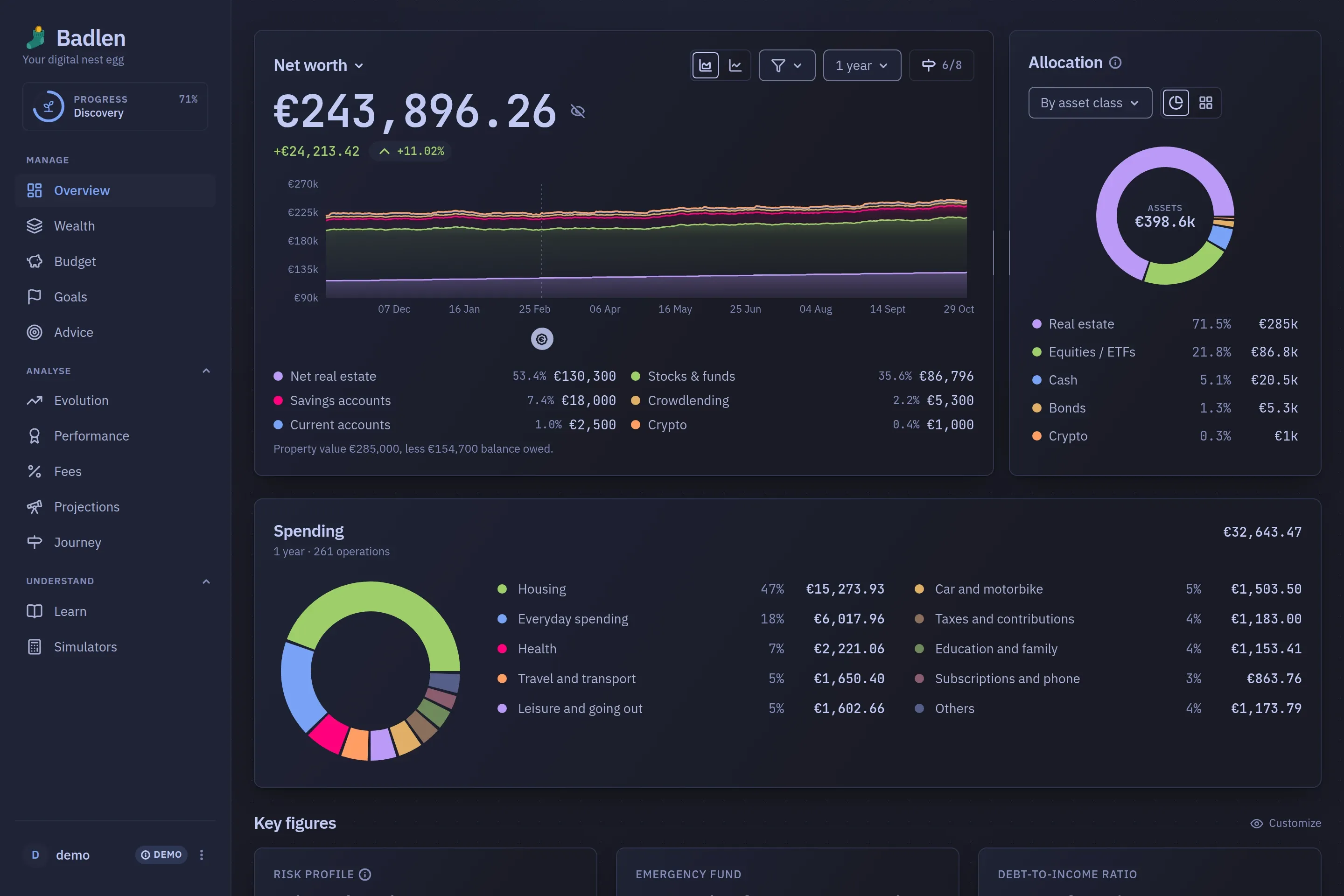
Overview
Net worth over time, read over ten windows from the last 24 hours to everything you hold history for, with the split across categories beside it.
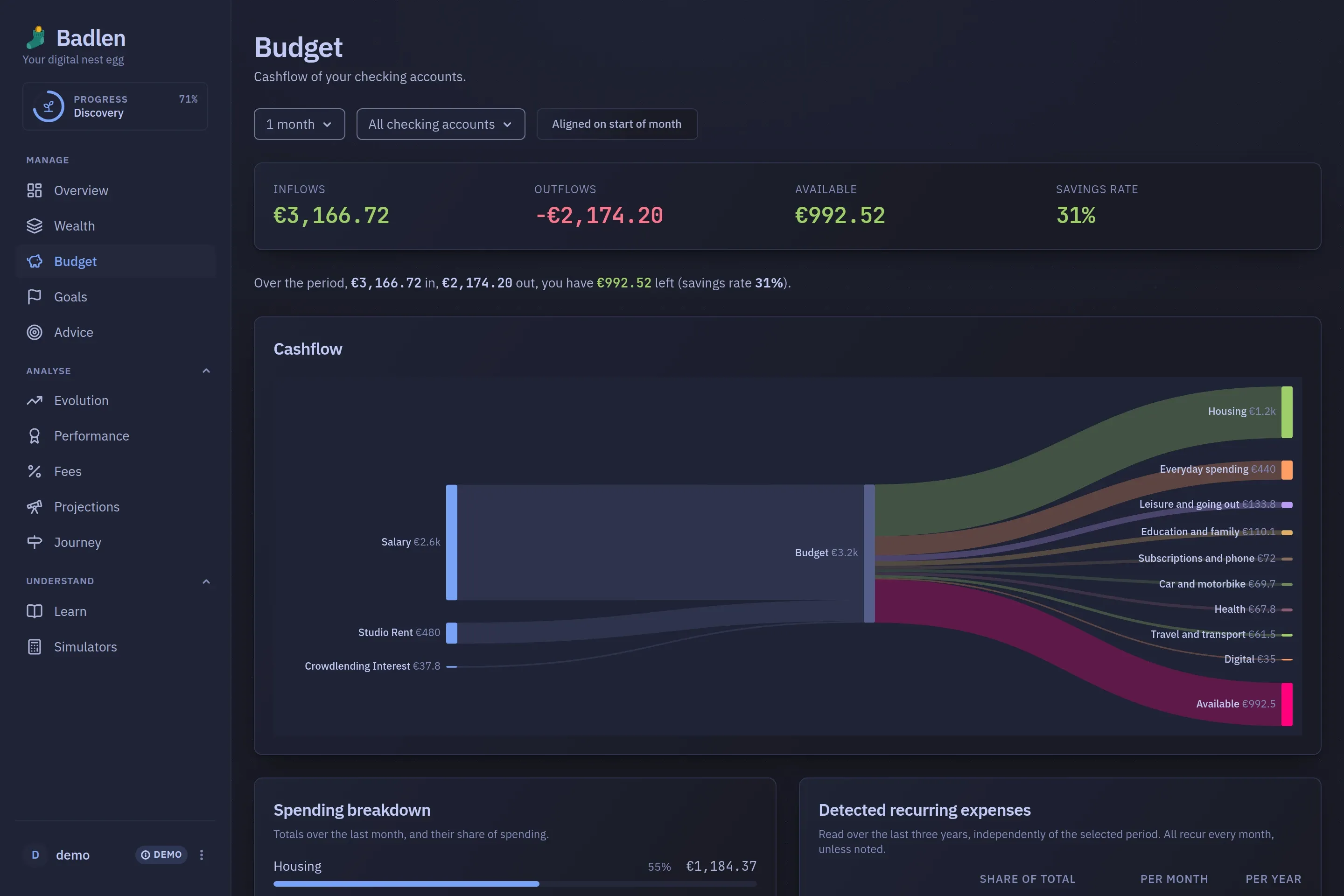
Budget
What came in and where it went, over 1, 3, 6 or 12 months, on a perimeter of accounts you choose, with the recurring charges it finds on its own.
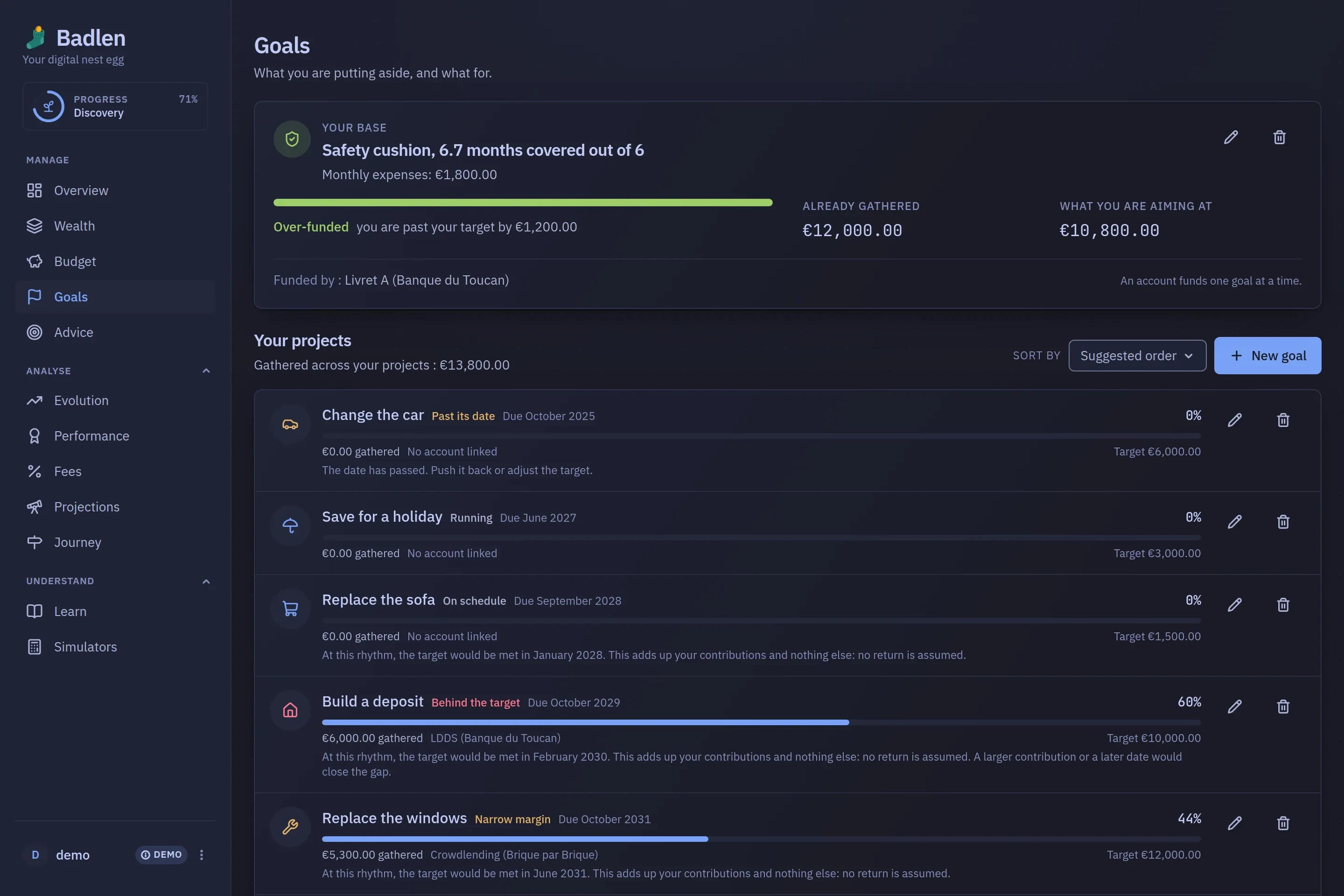
Goals
The safety cushion read in months of expenses, then the projects under it: a target, a date, the account funding it, and the month that rhythm would reach it.

Advice
Rules read against your own portfolio: a line grown too dominant, a tax maturity coming up, what holding it all has cost so far. Each card opens the account it is about.
What you hold
The Wealth entry of that same block: three tabs behind it, a page per category and a sheet behind every account.
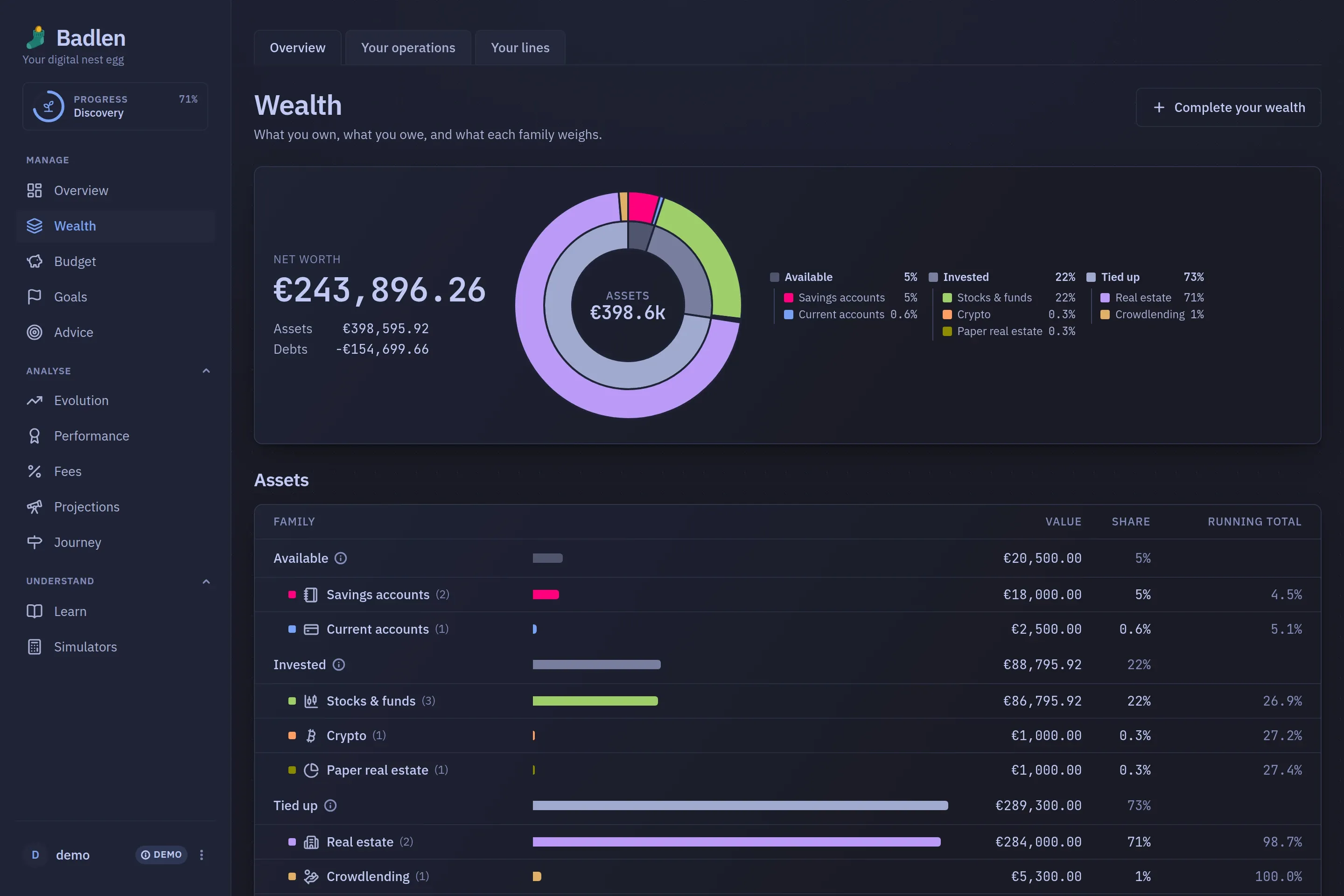
Wealth
Three pockets and ten categories, each with its total and what it weighs. A debt is listed apart and counts towards none of the shares above it.
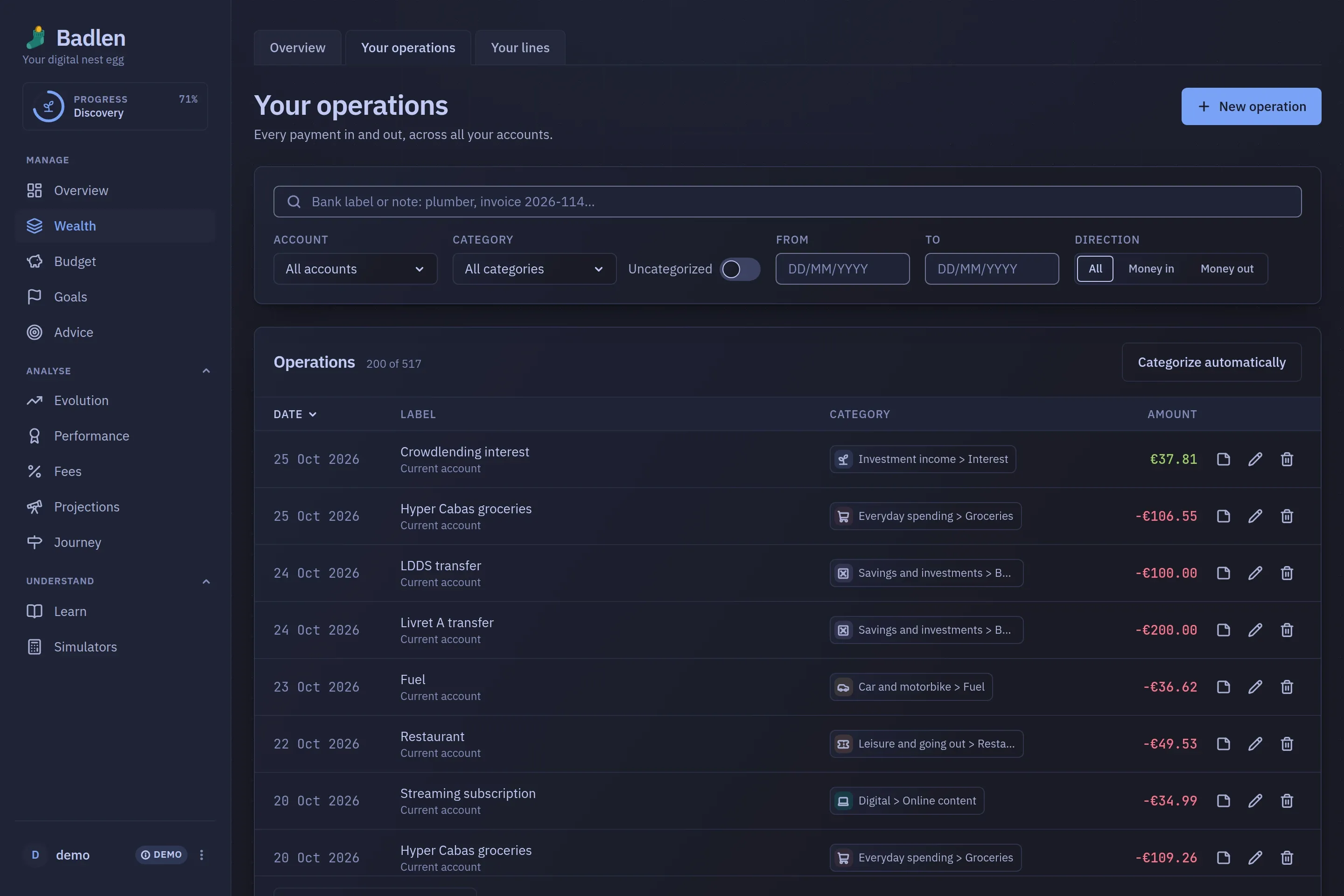
Your operations
The second tab of that screen: one ledger for every movement, whichever account it belongs to, under six filters that read back as chips.
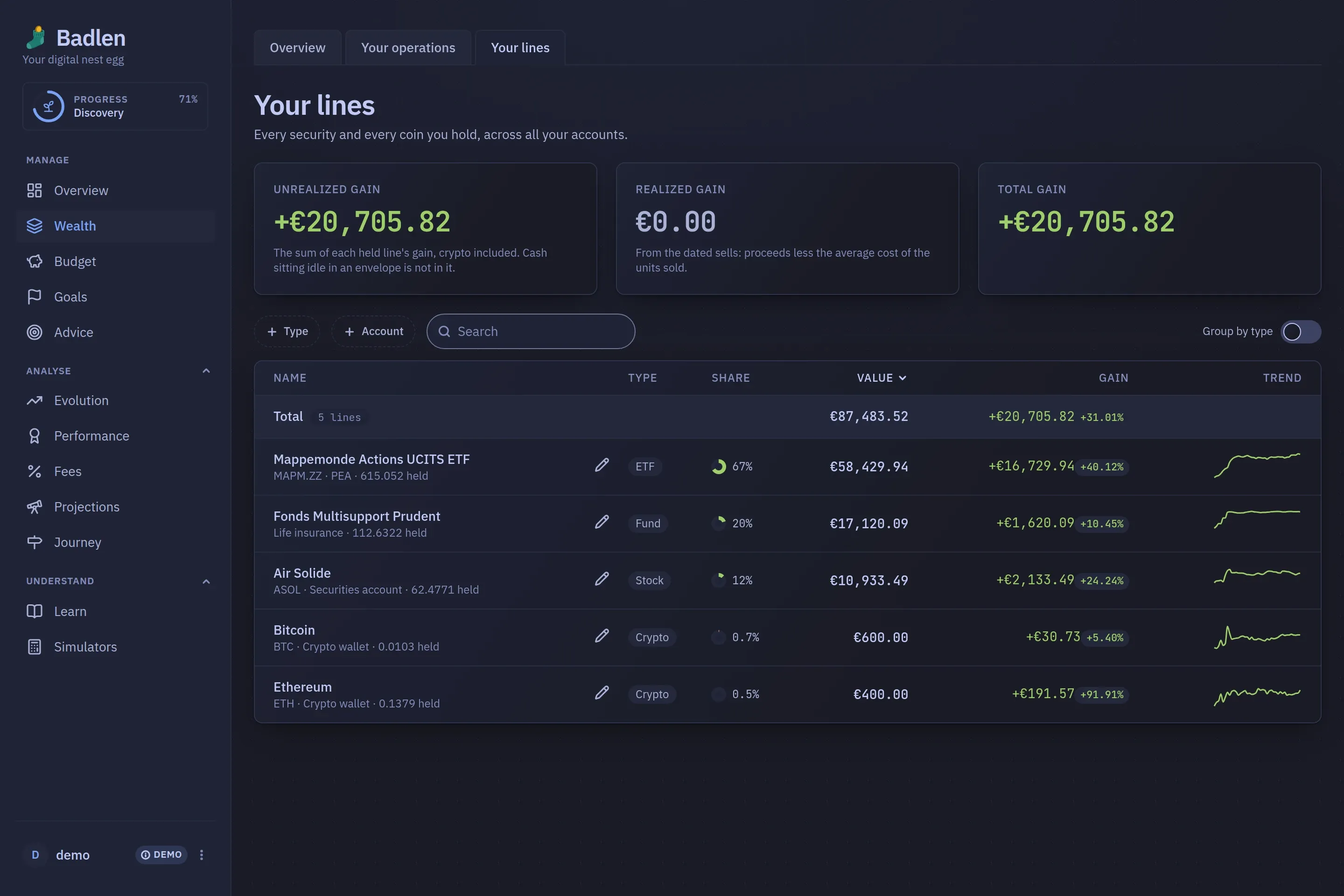
Your lines
The third tab: every security and every coin held, whichever account holds it, with the unrealised gain separated from the realised one.
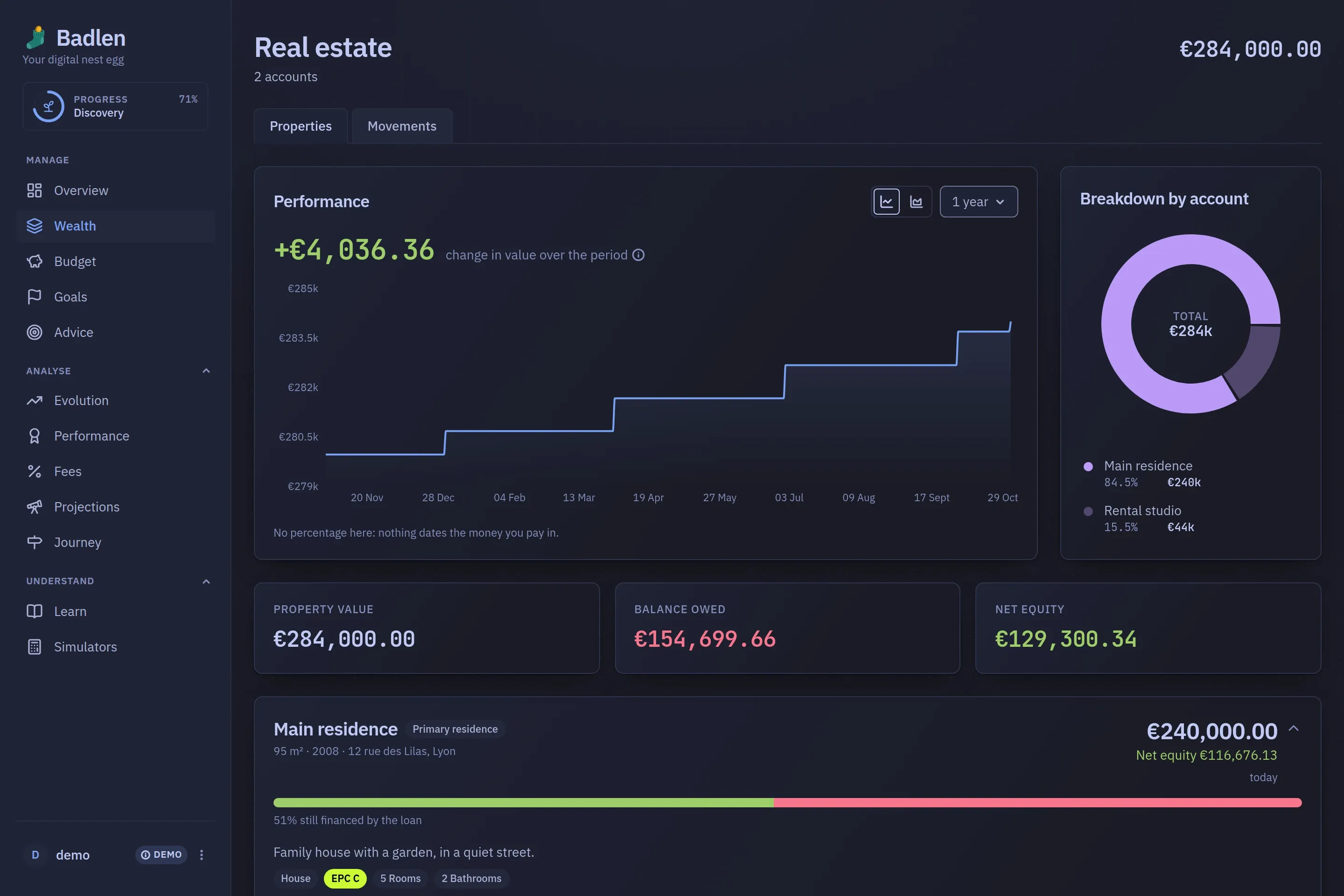
A category
Each category opens on a page of its own. Property is the one that shows the shape best: what it is worth, what is still owed on it, and what that leaves.
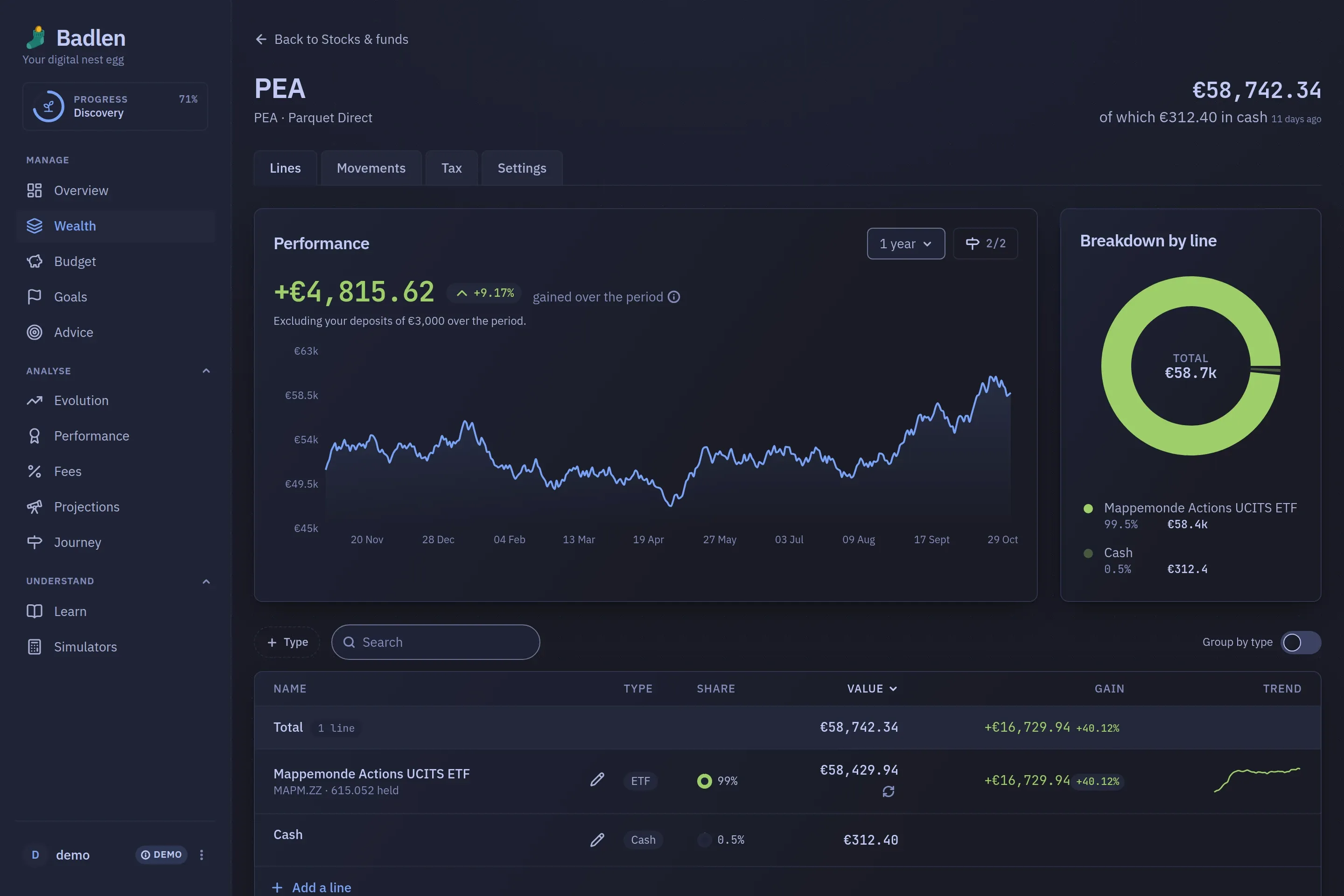
An account
And each account a sheet of its own, with the cash pocket as a line like the rest, and a Settings tab holding what only you can state.
What it is doing
The Analyse block of the menu: where the figures have been, what they cost to hold, where the current rhythm lands them, and the dates of your life beside them.
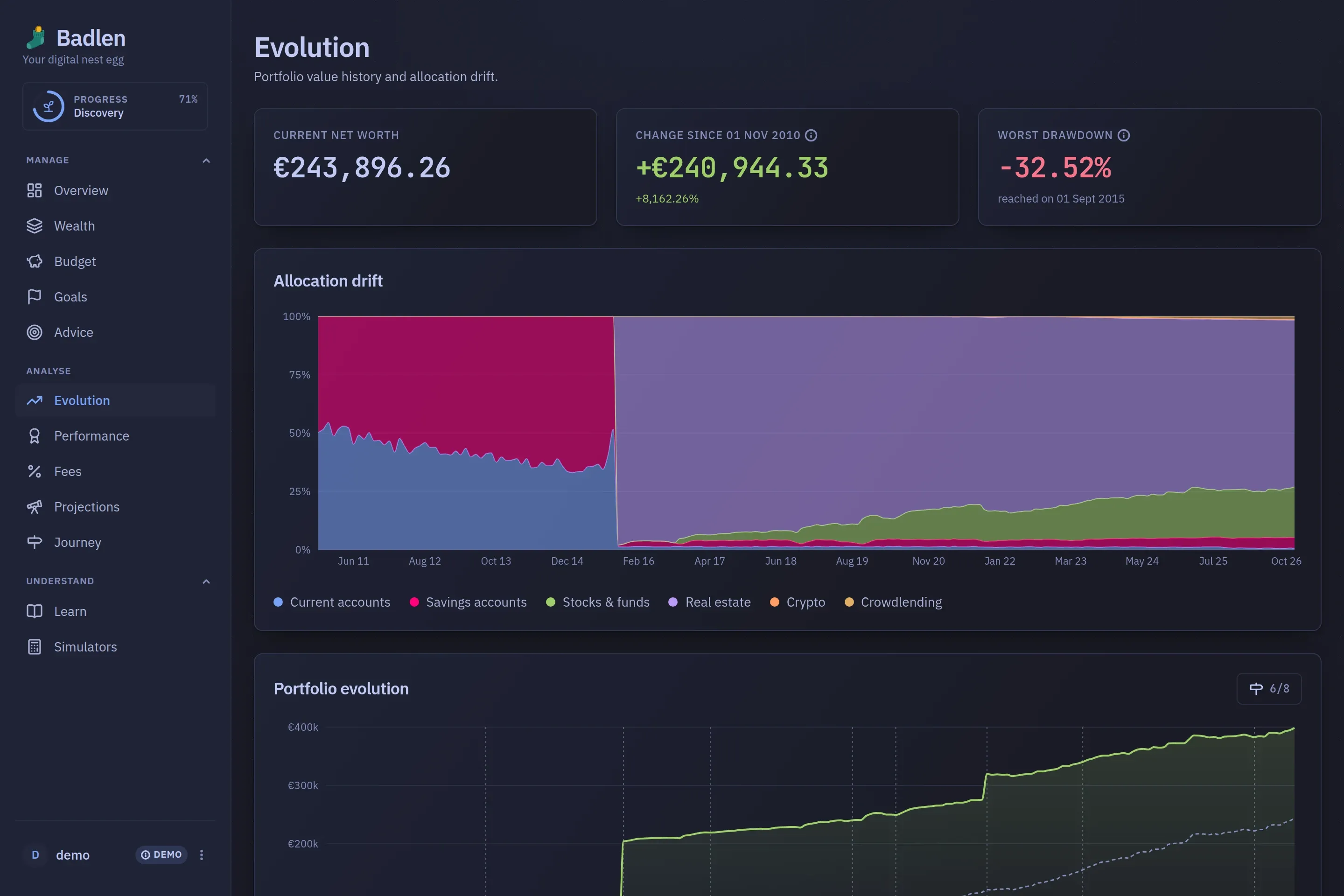
Evolution
The whole net worth over its whole history: how it was split, how that split drifted month by month, and the worst drop from a peak along the way.
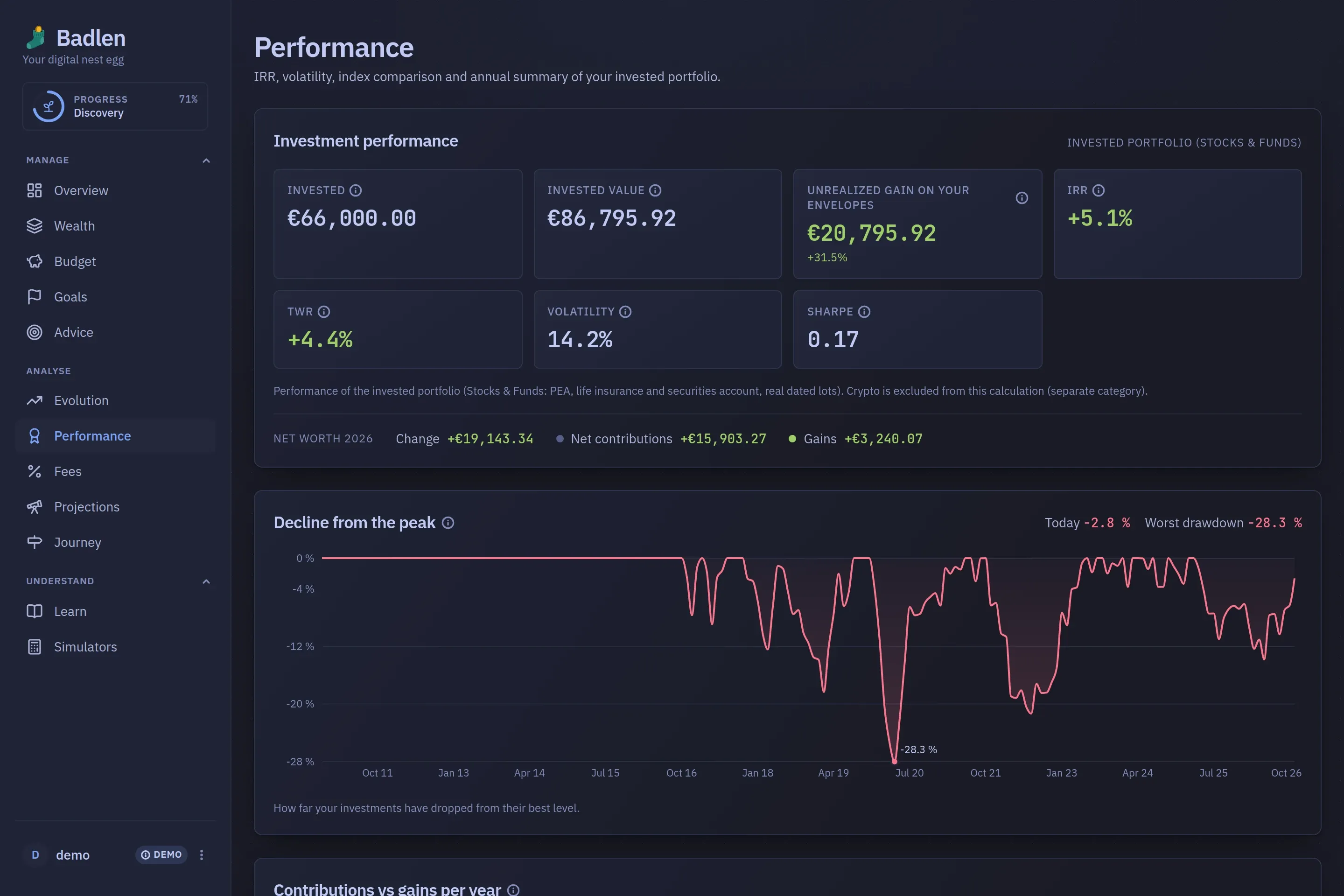
Performance
Two readings that answer two different questions: the invested portfolio as a rate, with IRR, TWR, volatility and a world index to sit beside, and the whole estate in euros.
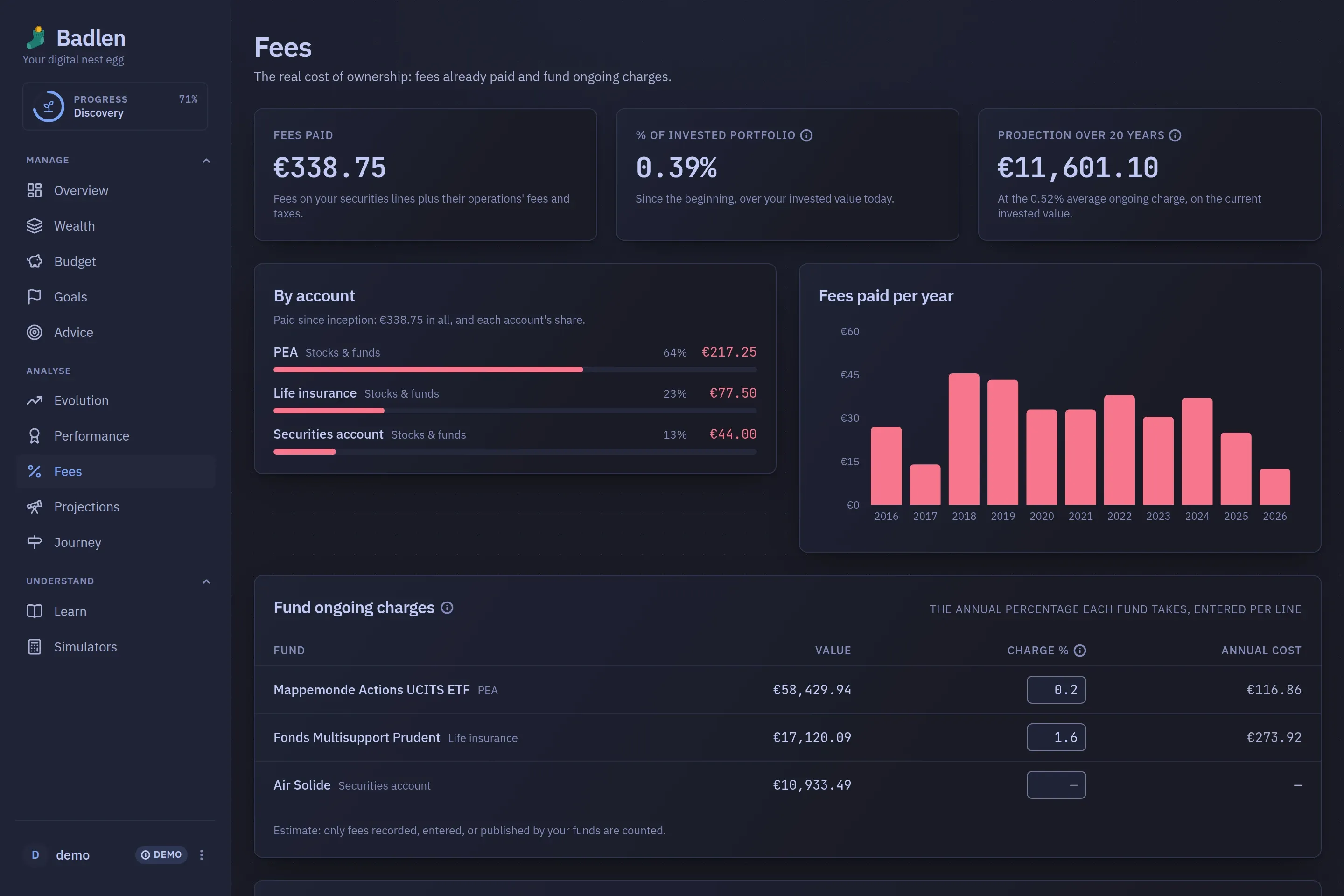
Fees
What the portfolio costs to hold: the fees already paid, the ongoing charges of each fund and the platform rates you state yourself, saved without any button.
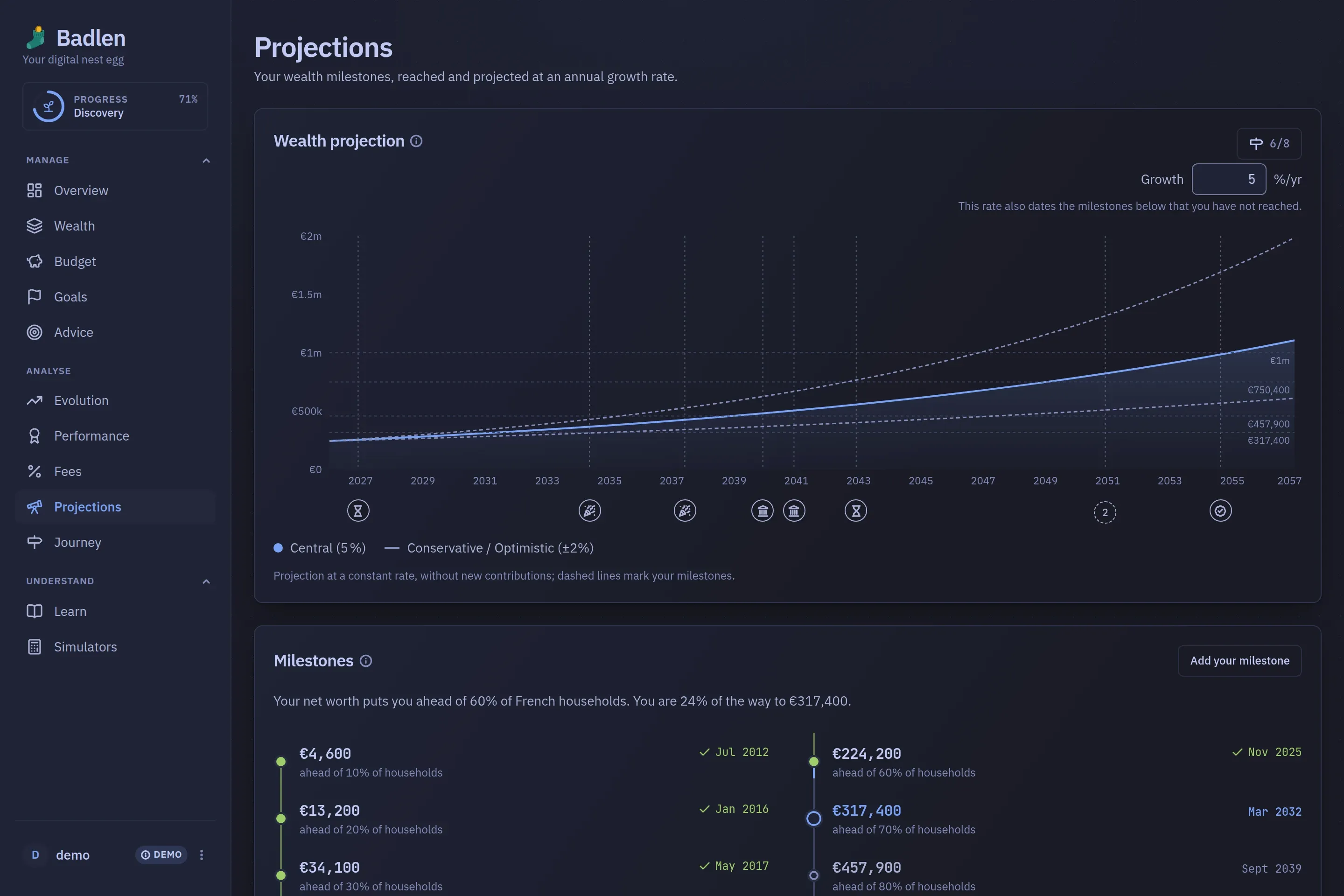
Projections
What you hold, compounded forward at a rate you set, against the milestones it dates, with a financial-independence figure stated at the end of it.
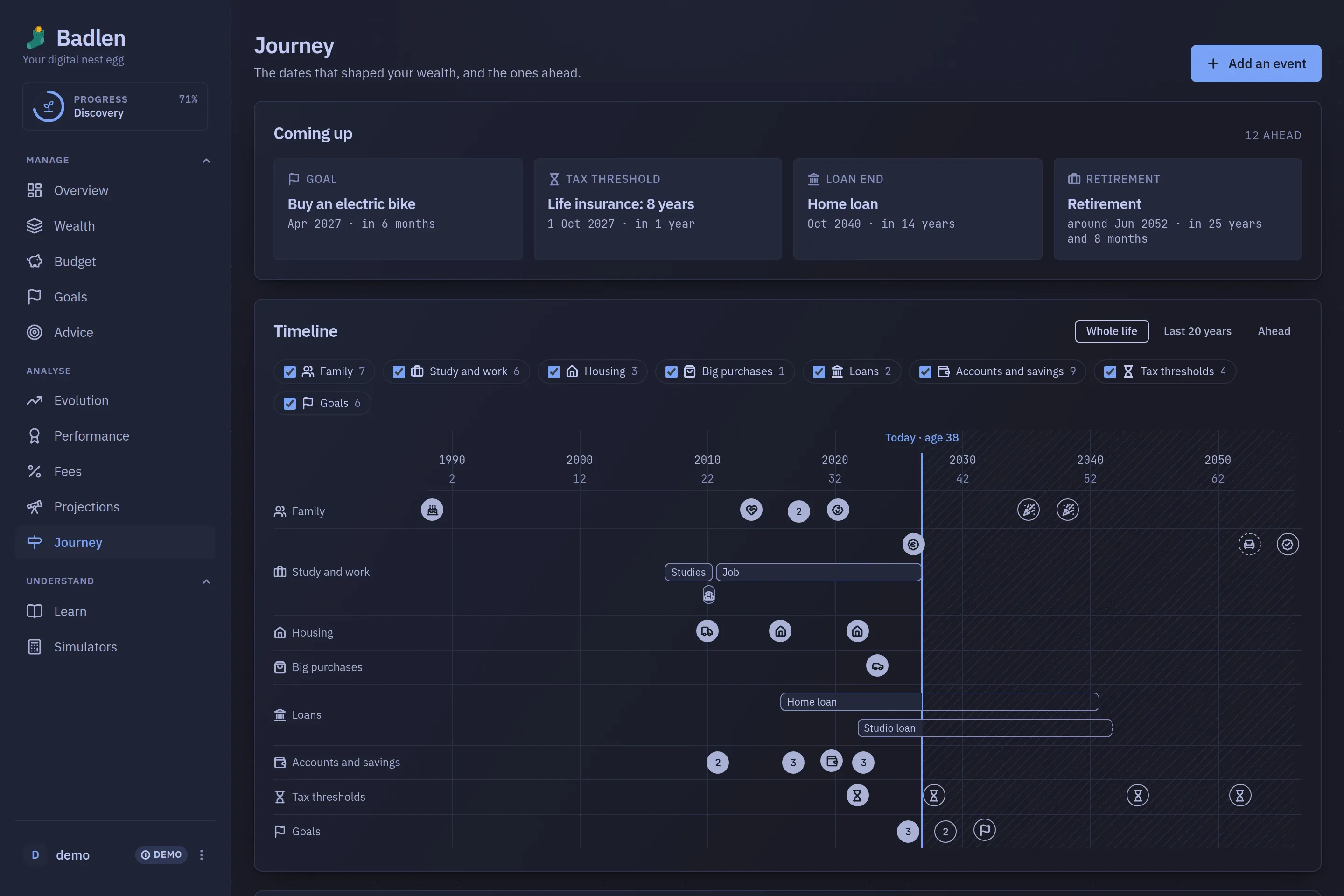
Journey
The dates that shaped your wealth and the ones ahead: those your accounts, loans, goals and profile already hold, and those only you can add.
Beside the figures
A course, eleven calculators, the achievements the ring at the top of the menu tracks, and the settings behind your own account.

Learn
A finance course in eight chapters of short lessons, each ending on a question that comes back days later if you missed it, with a glossary and a savings pyramid. It is part of the product rather than a manual, and three screens read their thresholds from it.
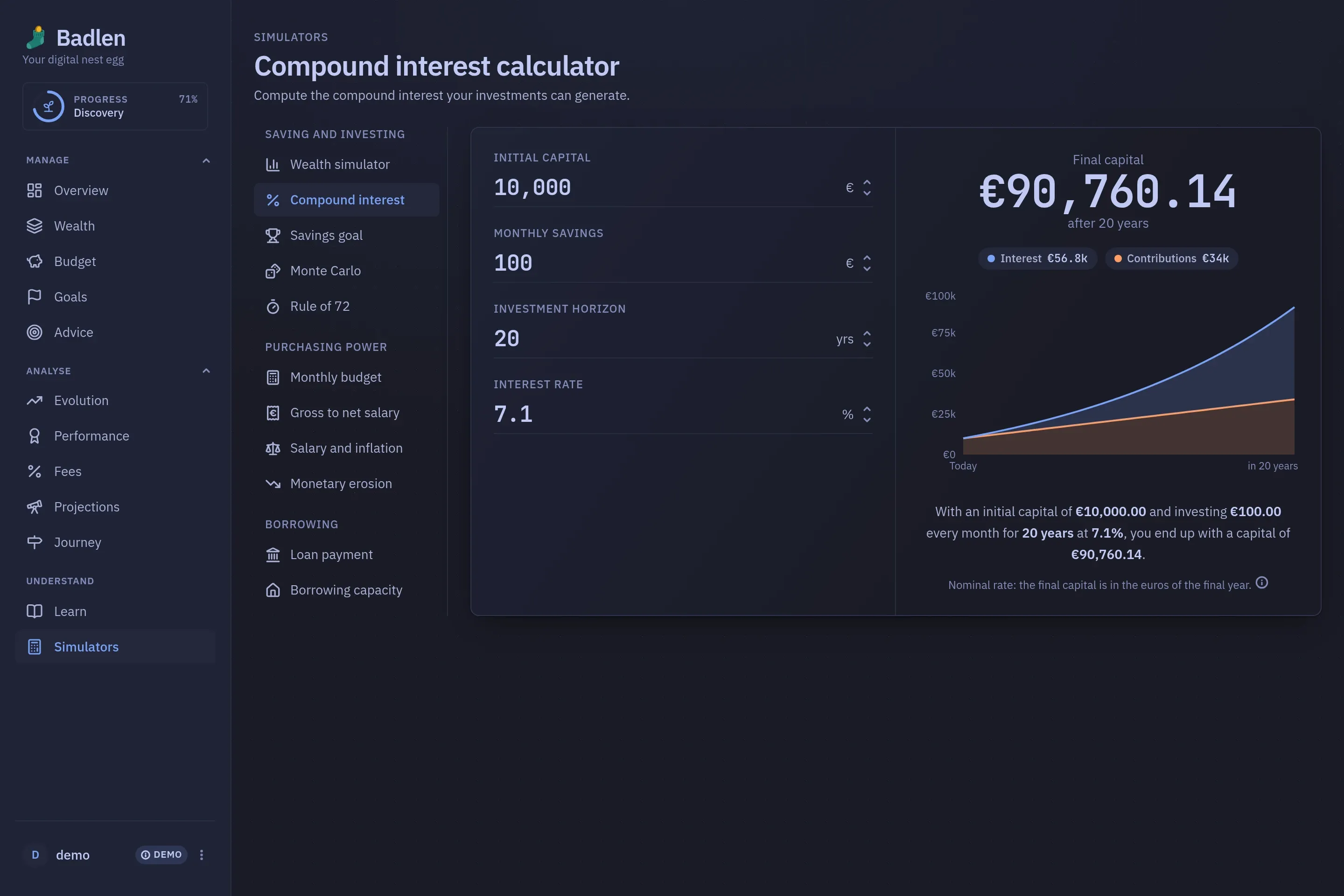
Simulators
Eleven calculators that touch none of your figures: compound interest, a Monte-Carlo run, a gross-to-net salary, a loan payment, a monthly budget drawn as an editable Sankey.

Progress
Twenty-four light achievements in four tiers, reached from the ring above the menu. Nothing is locked behind them: they are a tour of the application one step at a time.
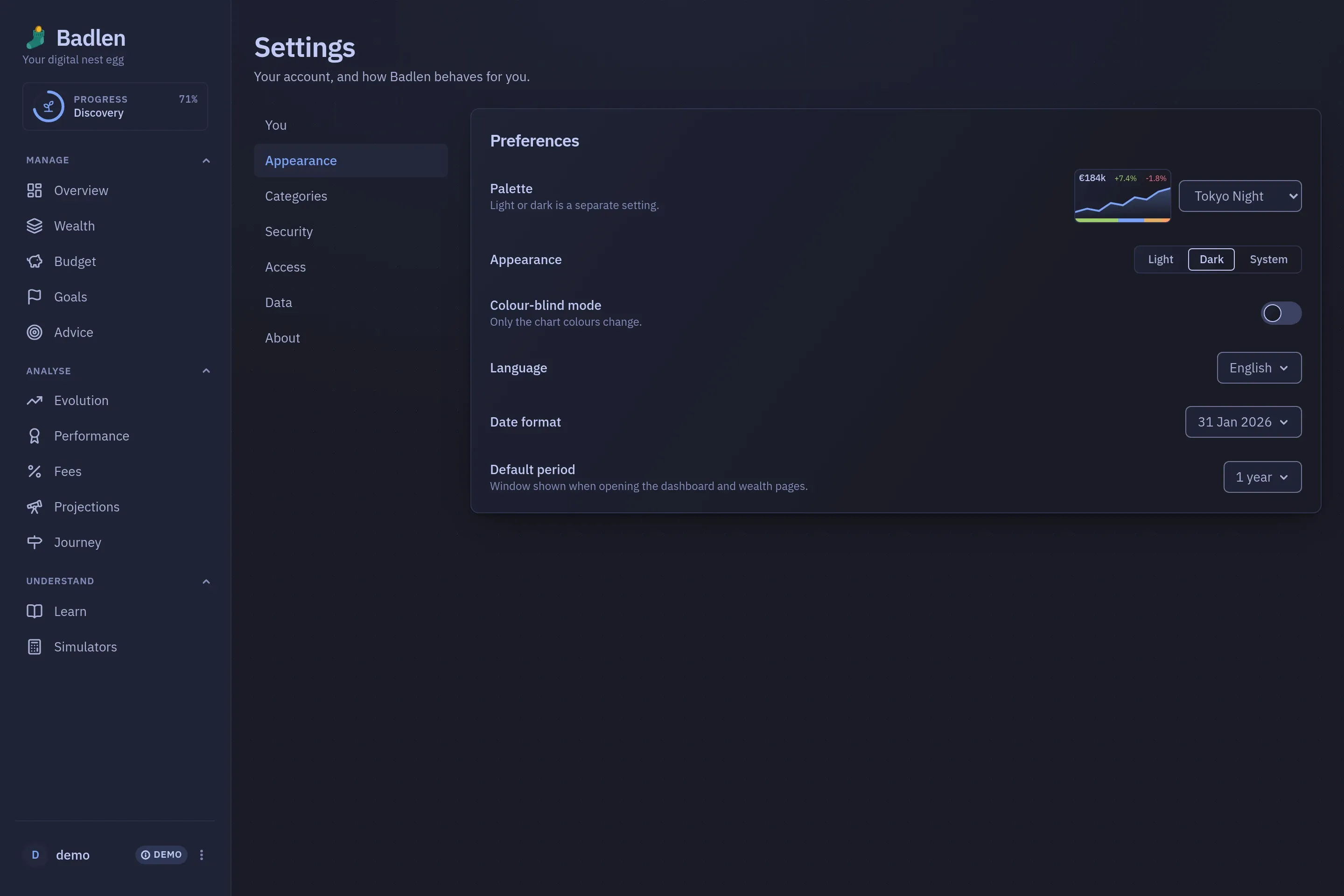
Settings
Twelve palettes, each in light and dark, the language, the date format and the window a page opens on. The other tabs of this rail hold your details, your categories, security, access and your data.
On a phone
The same application, in a hand. The menu folds into a drawer and the cards stack; nothing is left out of the narrow drawing.
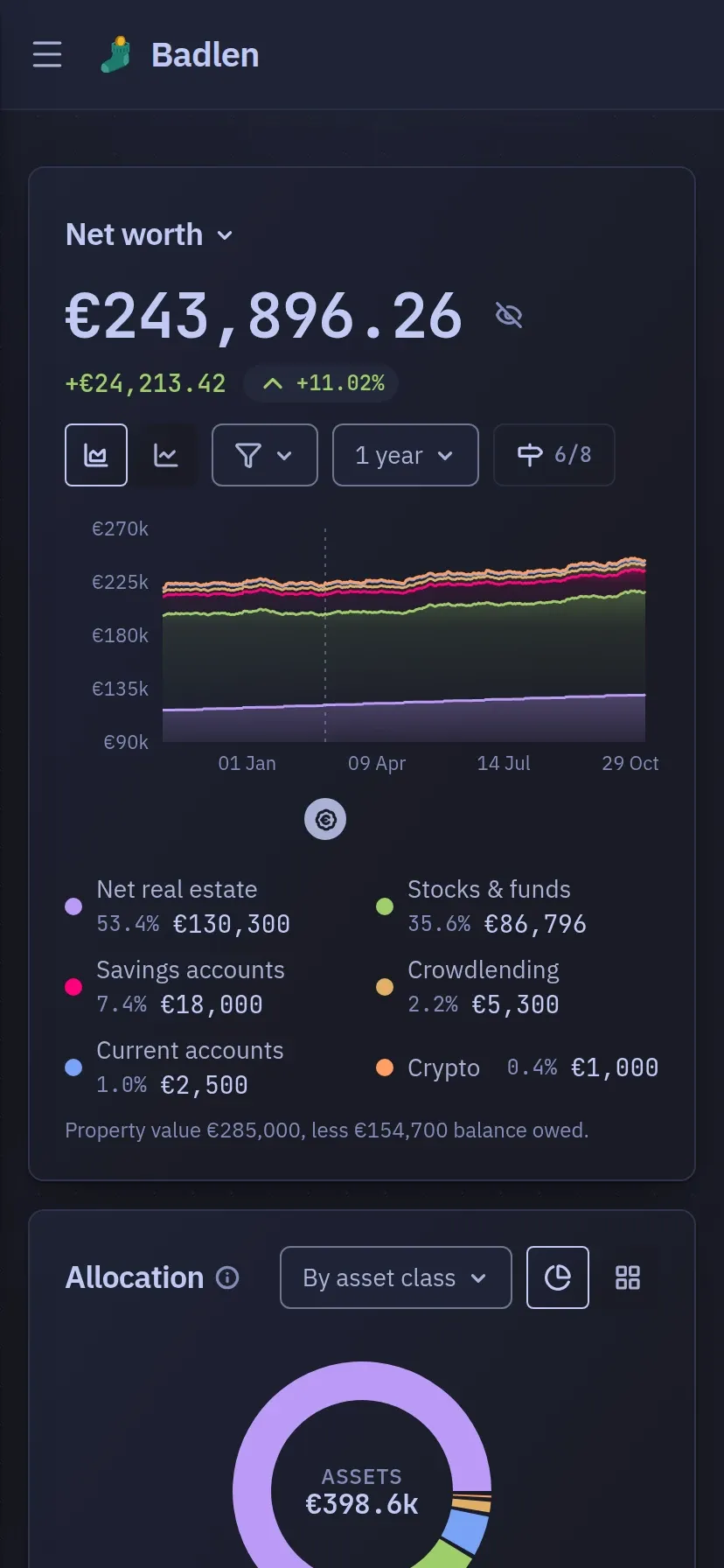
Overview, on a phone
The overview as a phone draws it.
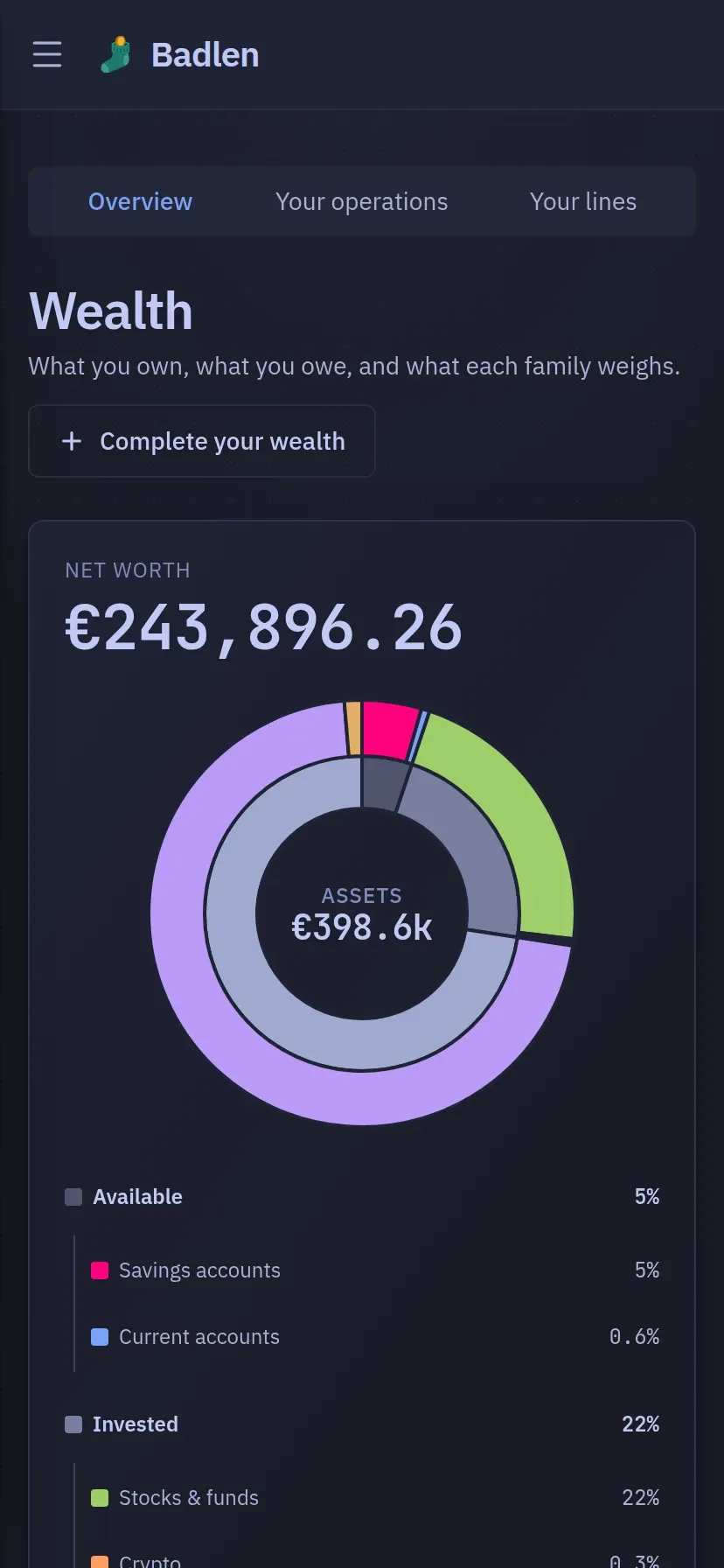
Wealth, on a phone
And the same ring, with the statement stacked into the one column there is room for.
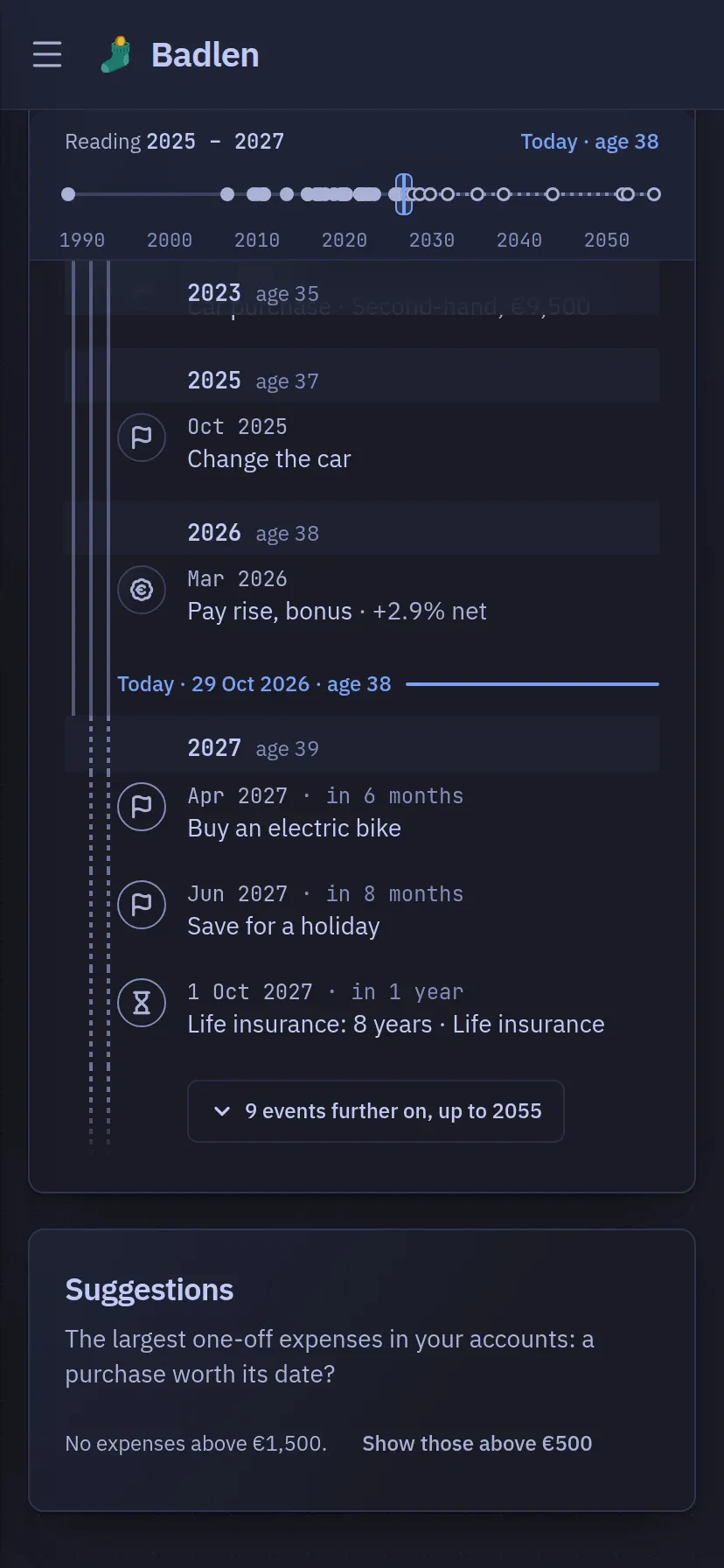
Journey, on a phone
The timeline and the chronology become one thread, where time runs down the screen.
Four screens are left out of the list above on purpose: the add hub, the settings tabs other than Appearance, a chapter of the course opened for reading, and the sign-in screen. None of them is an entry of the menu, and the pages that describe them show only the part of the screen they are about, not the whole window.